Configure your sign

Build your sign, your way

Start by uploading your logo — the preview on the right will update live with it. Then choose your size and colours and see an estimated price as you go. We'll follow up with an exact quote and a proof.

1Upload logo2Size & colours3Your details
Step 1

Upload your logo

Upload a PNG or JPG of your logo and the preview on the right will update to show it as you pick colors below. PDF, AI and EPS files are preferred for the final build, but can't be shown in the live preview — we'll prep that by hand and send you a proof via email.

Step 2

Choose your size and colours

See your logo update on the right as you go.

Size

Measured width x height.

Face colour

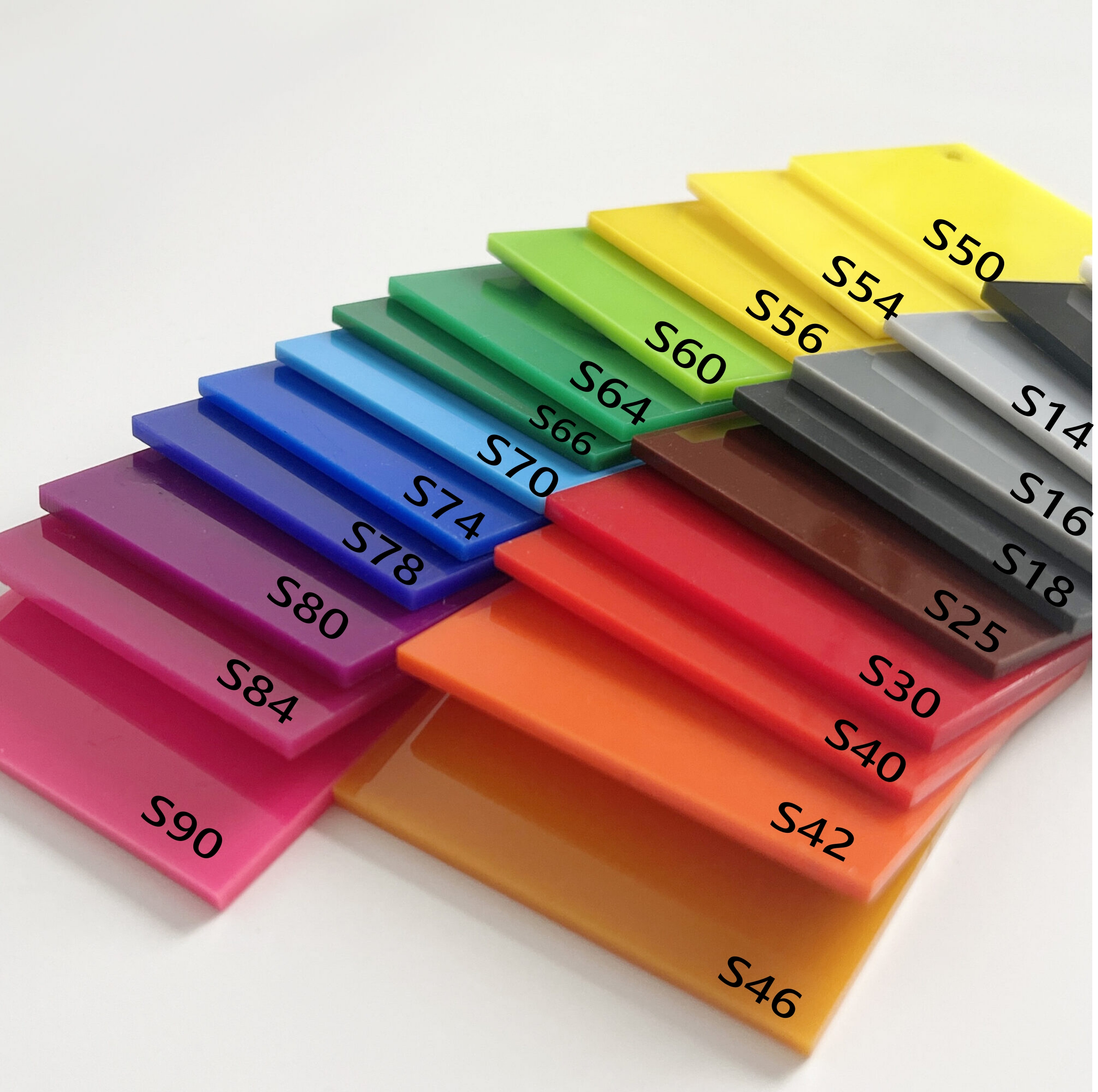
Matte Black is standard. Custom colours are cut from JYCA Plastics' solid colour acrylic range. Every face colour is included in the price — no extra cost.

Backlit colour

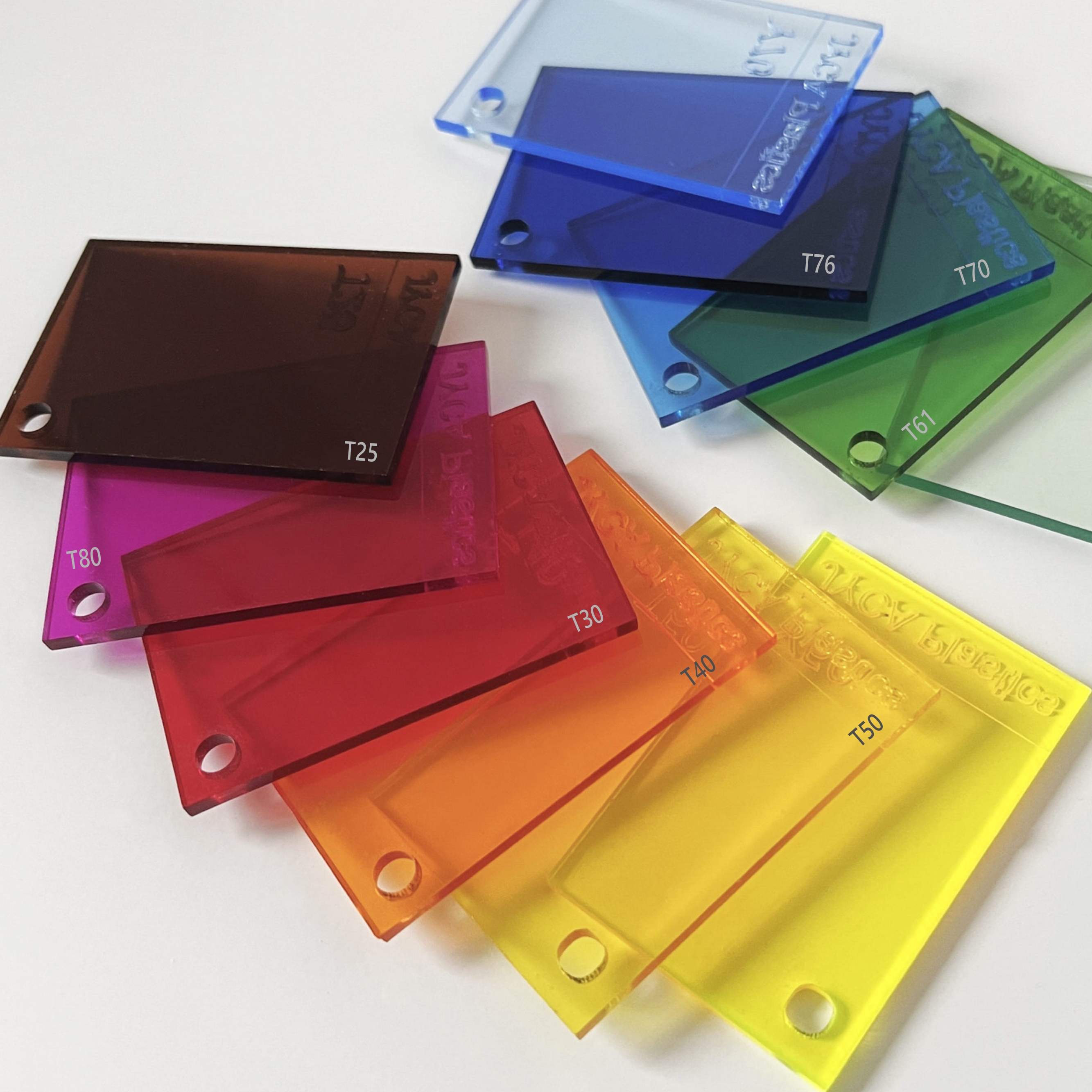
Light diffusing White is included and required. Other colours may be chosen below, which sit in front, changing the backlit colour (transparent colours add $100 per sign). Additional colours require more material and labour.

Multicolour option

This is for pricing only — the actual colour will match your logo. The standard backlit sign is white or one colour, if your logo has multiple colours, choose the number of colours below - we'll confirm colours during the proofing stage.

Power source

Every sign ships with a solar panel as standard — choose the wattage that suits your install spot, or switch to permanent power if the sign is going indoors.

Step 3

Your details

Thanks — we've got your configuration. We'll follow up by email with a proof and exact pricing.
Physical colour swatch samples of the solid colour acrylic range, labelled with each colour code

Reference only — actual colour may vary slightly from what's shown here.
Physical colour swatch samples of the transparent acrylic range, labelled with each colour code

Reference only — actual colour may vary slightly from what's shown here.